Showing posts with label Programs. Show all posts

Thursday, July 2, 2009

Upcoming Facebook for iPhone 3.0

Soon Facebook will release a new version of the iPhone app and it looks great. So what's new in this update (According Joe from facebook)?

  1. The "new" News Feed
  2. Like
  3. Events (including the ability to RSVP)
  4. Notes
  5. Pages
  6. Create new photo albums
  7. Upload photos to any album
  8. Zoom into photos
  9. Easier photo tagging
  10. Profile Pictures albums
  11. A new home screen for easy access to all your stuff, search, and notifications
  12. Add your favorite profiles and pages to the home screen
  13. Better Notifications (they link to the comments so you can reply)
  14. Quickly call or text people right from the Friends page
  15. Messages you are typing will be restored if you quit or are interrupted by a phone call

Unfortunately the feature that I wanted most “Push Notifications” won’t be in release 3.0 but in release 3.1


The one feature everyone is asking for, Push Notifications, is in development but it won't make it into 3.0. You can expect it in a 3.1 update later this summer.

Joe from facebook

 Facebook for iPhone 3.0  Facebook for iPhone 3.0

Monday, June 29, 2009

7-Zip File Archiver

When you are working with files every day you come across compressed files regularly or the need to compress files. Today Microsoft Windows (I don’t about other systems) since XP has a built in support for the zip format. But what about other formats such as rar? There is a free solution that I recommend and use for the last couple of years, 7-Zip.


7-Zip is a free and fast archiver. you can find the latest version here http://www.7-zip.org/


7-Zip Screenshot


The main features of 7-Zip according their official site:

  1. High compression ratio in new 7z format with LZMA compression
  2. Supported formats:
    1. Packing / unpacking: 7z, ZIP, GZIP, BZIP2 and TAR
    2. Unpacking only: ARJ, CAB, CHM, CPIO, DEB, DMG, HFS, ISO, LZH, LZMA, MSI, NSIS, RAR, RPM, UDF, WIM, XAR and Z.
  3. For ZIP and GZIP formats, 7-Zip provides a compression ratio that is 2-10 % better than the ratio provided by PKZip and WinZip
  4. Strong AES-256 encryption in 7z and ZIP formats
  5. Self-extracting capability for 7z format
  6. Integration with Windows Shell
  7. Powerful File Manager
  8. Powerful command line version
  9. Plugin for FAR Manager
  10. Localizations for 74 languages

TeraCopy - תוכנה להעתקת קבצים

שלום, 
תמיד הייתי משתמש במנגון ההעתקה הרגיל של הwindows אבל ברגע שהייתי צריך להעתיק קובץ גדול או תקיה כבדה הייתי פותח תוכנה אחרת ומבצע את ההעתקה דרך שם.
עד שמצאתי תוכנה שנקראת Tera Copy שעושה בדיוק את הדבר הפשוט הזה העתקה של קבצים רק בצורה נוחה יותר ומהירה יותר.
אני ימנה את הדברים שמצאו חן בעיניי בתוכנה:

  1. התקנת התוכנה פשוטה ונוחה, והשטח שהיא תופסת בדיסק הוא קטן ובלתי מורגש.
  2. התוכנה מתלבשת על האופציות ההעתק והדבק, כלומר בשביל להעתיק קובץ אין צורך לפתוח אותה במיוחד , אלא ברגע שסימנת קובץ להעתקה ועשית לו הדבק במיקום כל שהוא התוכנה אוטומטית ונפתחת ומבצעת את העתקה.
  3. התוכנה מראה את הסטטוס האמיתי של ההעתקה וגם את קצב ההעתקה (אם יש hard disk בעייתי אז רואים שהעתקה אליו או ממנו איטית יותר).
  4. כאשר עושים העתק/עותק  של אותו קובץ לאותה תקיה/מיקום שם הקובץ החדש הוא לא "COPY OF FILE" אלא שם הקובץ נשאר אותו שם רק נוסף לו מספר סידורי אחריו FILE1,FILE2...
  5. ניתו להוסיף עוד ועוד קבצים להעתקה במהלך העתקת קובץ אחר , לאותו מיקום כמובן.

בקיצור תכונה מומלצת לכל מחשב, התוכנה מגיעה בשתי גירסאות : חינאמית , ובתשלום אך אני לא רואה צורך בכך הגירסה החינאמית מצויינת.
ניתן להוריד מכאן:http://www.codesector.com/download.php
תחסכו זמן ותהנו.

teracopy-manager

TeraCopy is a compact program designed to copy and move files at the maximum possible speed, providing the user a lot of features:

  • Copy files faster. TeraCopy uses dynamically adjusted buffers to reduce seek times. Asynchronous copy speeds up file transfer between two physical hard drives.
  • Pause and resume file transfers. Pause copy process at any time to free up system resources and continue with a single click.
  • Error recovery. In case of copy error, TeraCopy will try several times and in the worse case just skips the file, not terminating the entire transfer.
  • Interactive file list. TeraCopy shows failed file transfers and lets you fix the problem and recopy only problem files.
  • Shell integration. TeraCopy can completely replace Explorer copy and move functions, allowing you work with files as usual.
  • Full Unicode support.
 
 
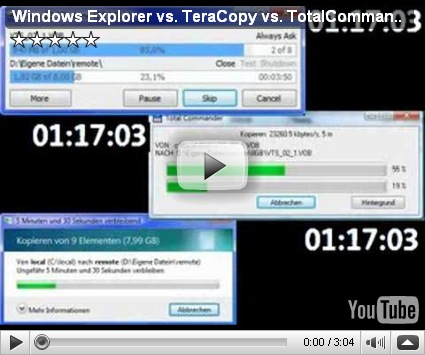
TeraCopy  לעומת תוכנות העתקה אחרות
 

Sunday, June 28, 2009

Eyes Relax

When you work long hours behind computer screen you feel that your eyes are getting tired. Adi found a great program that reminds you to take a break from the computer based on interval that you can define.

  1. Eyes Relax – Website

  2. Eyes Relax 0.54 (current version) – Download

Just don’t forget to install Microsoft .NET Framework 2.0 before (probably you already installed it in the past).


EyesRelax Screenshot

It’s an utility that helps avoiding eyes-related problems when working at a computer for several hours. Concentrating your eyesight on a computer screen can cause an eye strain. You can prevent this by taking regular breaks during the work and look at distant objects.

Eyes Relax is a tool that reminds you about taking those breaks. It a very flexible utility, which allows you to specify two independent (short and long) work periods, the length of the breaks, break types, notification sounds and many other settings.

Eyes Relax has also the parenting features. It can enter the password-protected Parent Mode in which the user is forced to take breaks (during the break the computer is locked). This is very useful since children often forget about the real world and play video games much too long.

From EyesRelax

Saturday, June 27, 2009

What’s New in Firefox 3.5?

Soon Mozilla will release Firefox 3.5 and here is a list of the new features:

  1. Improved tools for controlling your private data, including a Private Browsing Mode.
  2. Better performance and stability with the new TraceMonkey JavaScript engine.
  3. The ability to provide Location Aware Browsing using web standards for geolocation.
  4. Support for native JSON, and web worker threads.
  5. Improvements to the Gecko layout engine, including speculative parsing for faster content rendering.
  6. Support for new web technologies such as: HTML5 <video> and <audio> elements, downloadable fonts and other new CSS properties, JavaScript query selectors, HTML5 offline data storage for applications, and SVG transforms.

“Private Browsing Mode” is something that all modern browsers already has.

The boost on performance is very good, and another reason to stay with Firefox (the other is the add-ons) and not to migrate to Chrome or Safari (don’t even think about Internet Explorer).

It will be interesting to see websites such as YouTube use the HTML 5 <video> tag instead of flash plug-in. YouTube already prepared a page featuring this technology http://www.youtube.com/html5.

It seems that the 3.5 release is not a major breathtaking features but mainly improvements to catch up with the other browsers.


You can download the release candidate version from here.


Mike Beltzner gives a quick preview of what’s new and exciting in Firefox 3.5.

Friday, June 26, 2009

Icy – Cydia Replacement for Jailbroken iPhone


If you have an iPhone and you performed Jailbreak you probably use Cydia for downloading additional apps that you cannot find in the official Apple appstore.


I feel that Cydia is too slow. Sometimes it takes ~2 minutes only to start Cydia. Luckily Ripdev team made a replacement for Cydia called Icy. The great thing about Icy is that it works on the same packaging system that Cydia use. So you’ll see the same sources and apps installed both in Icy and in Cydia.

icy-big1

What is Icy?

Icy is our take on the freeware package manager that uses APT repositories to install and remove packages available in another free iPhone installer application, Cydia. The goal was to create a fast, lightweight and more slick solution that is easy and cool to use. Icy is already at version 1.3, and we're working diligently on more improvements.

How To Install

From Cydia: Add a new source http://apt.ripdev.com and then install Icy from the Packaging category.

From Ripdev


WinDirStat - Disk Usage Statistics Viewer

Hi everyone.


I have always had trouble with organizing my hard disk. Few months after a fresh format and new install of the OS it always seemed that my hard disk was again full of “junk”. But the problem was that it was hard to find where the major “junk” files were located.


Now I finally found a program that show you statistics about your disk usage so you can easily clean all the “junk” from your disk.
So download it and clean your disk :)


WinDirStat is a disk usage statistics viewer and cleanup tool for Microsoft Windows (all current variants).

windirstat

  1. WinDirStat Website
  2. Current installer (contains both, Ansi and Unicode, releases)

WinDirStat Tutorial